Most YouTube creators treat SEO as an afterthought. They finish editing, slap on a title that describes what the video is about, write two sentences in the description, and hit publish. Then they wonder why the video sits at fifty views for months.
YouTube is the second largest search engine in the world. The creators who grow fastest are not always the ones making the best videos — they are the ones making good videos that people can actually find. SEO is what bridges that gap.
The good news is that AI tools have made YouTube SEO dramatically less intimidating. You do not need to spend hours doing manual keyword research or spend money on expensive SEO consultants. Tools like VidIQ, TubeBuddy, and ChatGPT can guide you through the entire process, from finding the right keyword to writing a description that ranks. Here is how to use them.
Why YouTube SEO Is Worth Taking Seriously
Before getting into the tools, it helps to understand why YouTube SEO matters beyond just getting views.
When a video ranks well in YouTube search, it gets views without you doing anything. You upload once and the video keeps working for months or years. Compare this to social media promotion, where you post something and it is essentially gone from people’s feeds within twenty-four hours. SEO-driven traffic compounds over time. Social media traffic does not.
The other thing worth understanding is that YouTube SEO is not just about search. The algorithm uses your title, description, and tags to decide which suggested videos to place yours alongside. Getting suggested next to a popular video in your niche can send more traffic than ranking in search.
The Tools That Do the Heavy Lifting
VidIQ
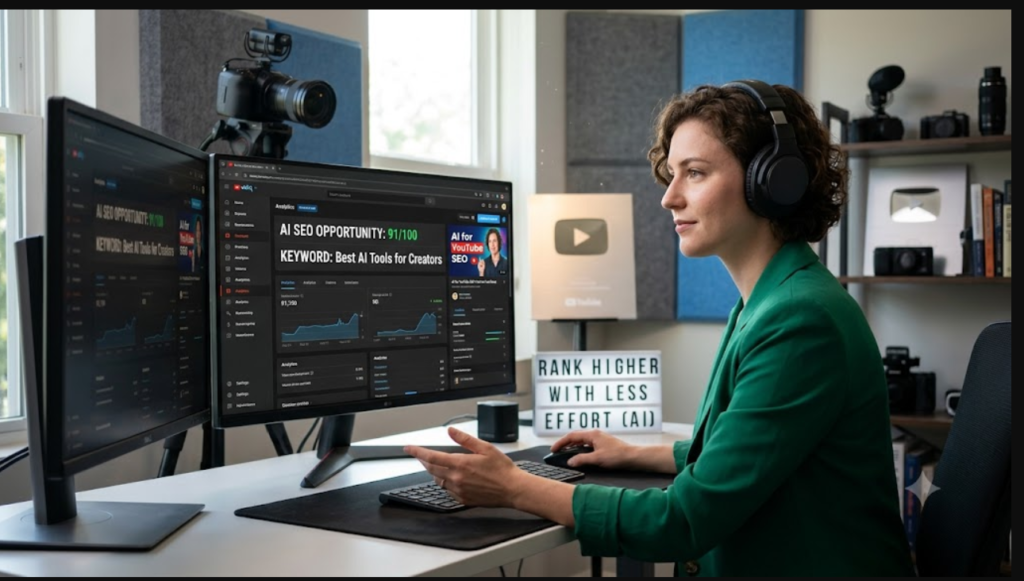
VidIQ is the most comprehensive AI tool built specifically for YouTube SEO. Its keyword research feature shows you search volume, competition level, and an overall opportunity score for any keyword you search. The AI coach feature goes further — it analyses your specific channel and gives you personalised video ideas based on what your audience is searching for and what is trending in your niche.
The daily video ideas feature alone has saved a lot of creators from the “I have no idea what to post” spiral that kills consistency. VidIQ tells you what your audience is looking for before you even have to think about it.
There is a free plan that gives you access to basic keyword data. The paid plans start at around $10 per month and unlock the AI features that make it genuinely powerful.
TubeBuddy
TubeBuddy takes a different approach — it lives inside YouTube Studio as a browser extension, so all the data and recommendations appear directly alongside your videos without switching between apps. This makes it especially useful during the publishing process when you are optimising a video in real time.
The tag explorer is one of the best keyword research tools for YouTube specifically. The SEO Studio feature walks you through a checklist for each video — title, description, tags, thumbnail — and scores your optimisation so you know exactly what to fix before publishing.
The thumbnail A/B testing feature is also worth highlighting. It lets you test two different thumbnails and automatically switches to the better-performing one after enough data has been collected. Over time, this kind of testing meaningfully improves your click-through rate across your whole channel.
Free plan available, with the Pro plan at around $4.50 per month making it one of the most affordable tools in this space.
ChatGPT
ChatGPT is not a YouTube-specific tool but it is exceptionally useful for the writing side of YouTube SEO — titles, descriptions, and pinned comments. Once you have your keyword from VidIQ or TubeBuddy, ChatGPT helps you use it naturally in content that reads well and ranks well. The two jobs complement each other perfectly.
The Full AI YouTube SEO Workflow — Step by Step
Step 1: Start with the Keyword, Not the Topic
This is the mindset shift that separates creators who grow from creators who stall. Most people think of a topic and then make a video. Smart creators find a keyword with real search volume, then make a video that answers that search intent.
Open VidIQ and type your broad topic into the keyword tool. You will see a list of related keywords with search volume and competition data. What you are looking for is a keyword with meaningful search volume — generally above 1,000 monthly searches — and a competition score low enough that you can realistically rank. VidIQ’s opportunity score combines both into a single number to make this easier.
For channels under 10,000 subscribers, focus on longer, more specific keywords rather than short broad ones. “AI tools for YouTube” is competitive. “Best free AI tools for small YouTube channels” is achievable.
Step 2: Check What Is Already Ranking
Before you commit to a keyword, search it on YouTube and look at the top ten results. Study the channels ranking there. How many subscribers do they have? How old are the videos? How many views do they have despite the ranking?
If the top results are from channels with hundreds of thousands of subscribers and millions of views, the keyword is probably too competitive for a smaller channel right now. If you see channels with under 50,000 subscribers ranking with relatively modest view counts, that is a real opportunity.
Also look at the content quality. If the top-ranking videos are outdated, low-production-quality, or do not fully answer the search intent, you have a content gap you can fill.
Step 3: Write Your Title with AI Help
Your title is the single most important SEO element in your video. It tells YouTube what your video is about, and it tells viewers whether to click. It needs to do both jobs simultaneously.
Use this ChatGPT prompt:
“Write five YouTube video titles for the keyword [YOUR KEYWORD]. Each title should be under 60 characters total, include the keyword naturally — not forced — promise a clear and specific benefit, and avoid generic phrases like ‘everything you need to know’ or ‘ultimate guide.’ Write for someone who is [describe your audience].”
From the five options, pick the one that feels most honest to what your video actually delivers. Accuracy matters here — a title that overpromises leads to viewers clicking away quickly, which hurts your ranking.
Step 4: Write Your Description with ChatGPT
YouTube’s algorithm reads your description to understand your video’s topic. A good description is 200 to 300 words, includes your target keyword naturally in the first sentence, and gives genuine additional context about what the video covers.
Here is a prompt that consistently produces good descriptions:
“Write a YouTube description for a video titled [YOUR TITLE]. The target keyword is [KEYWORD]. Write three paragraphs: the first summarising what the video covers in two to three sentences with the keyword in the first sentence, the second listing three to five specific things viewers will learn, and the third asking viewers to subscribe with a brief reason why they should. Add five relevant hashtags at the end. Write in a natural, conversational tone — not like marketing copy.”
Read the result and adjust anything that sounds stiff. Add a timestamp list if your video has clear sections — this improves both viewer experience and SEO.
Step 5: Add Tags Using TubeBuddy
Open TubeBuddy’s tag explorer and search for your keyword. Add the tags it recommends, making sure your exact target keyword is the very first tag you enter. Include a mix of specific tags directly related to your video topic and broader tags covering your niche in general. Ten to fifteen tags is the right range — more than that and you start adding tags that are too loosely related.
Tags carry less weight than they used to in YouTube’s algorithm, but they still help the algorithm categorise your content and decide which suggested videos to place yours alongside.
Step 6: Optimise Your First 24 Hours
YouTube pays close attention to how a video performs in the first day after publishing. High engagement in this window — comments, likes, shares, watch time — signals to the algorithm that the content is worth pushing to more people.
A few things that help: publish at a time when your audience is most active (TubeBuddy’s Best Time to Publish feature shows you this based on your channel’s historical data). Pin a comment on your own video immediately after publishing that includes your keyword, asks a question to encourage responses, and links to a related video. Email your list or post to your community tab to drive initial traffic.
More Advanced Strategies Worth Knowing
Find Content Gaps in Your Niche
In VidIQ, search your niche topic and sort results by search volume. Look for keywords with high monthly searches but weak top results — old videos, low view counts, poor production quality. These gaps are where smaller channels can punch above their weight by simply creating better, more current content than what is currently ranking.
Optimise for Suggested Videos
A significant portion of YouTube views come from suggested videos rather than search. To appear in suggestions alongside popular videos in your niche, use similar vocabulary, topics, and keywords in your titles and descriptions. YouTube suggests content to viewers based on what they just watched — you want your video to be a natural next step after the popular content in your space.
Update Older Videos
Many creators ignore their older videos, but updating descriptions and titles to include new keywords is one of the highest-return-on-time activities in YouTube SEO. Check VidIQ to see which keywords are driving traffic to each of your existing videos, then update the descriptions to include those terms more naturally and prominently.
Mistakes That Cost You Rankings
Targeting keywords that are too broad and too competitive for your channel size. You will spend weeks making a video that ranks nowhere while smaller, more specific keywords would have put you on page one.
Writing descriptions that are too short. Two sentences is not a description — it is a missed SEO opportunity. Use the full 300 words and give YouTube’s algorithm something to work with.
Ignoring the first 24 hours after publishing. This window matters more than most creators realise. Engagement in the first day has an outsized effect on how aggressively YouTube distributes your video.
Optimising once and forgetting about it. YouTube SEO is not set-and-forget. Revisiting your older videos every few months and updating titles and descriptions based on current keyword data can meaningfully increase their ongoing view counts.
Putting It All Together
You do not need to master every aspect of YouTube SEO at once. Start with keyword research in VidIQ, use ChatGPT to write better titles and descriptions, and install TubeBuddy to guide you through the optimisation checklist when you publish. That combination alone puts you ahead of most creators on the platform.
The creators who consistently grow on YouTube are not necessarily making better content than everyone else — they are making content that people can find and that the algorithm is motivated to push. SEO is what makes that happen, and AI tools have made it something any creator can do well with a modest time investment.
For more tools that help YouTube creators grow faster, check out our complete guide on the best AI tools for YouTube creators.