If you have ever sat down to record a YouTube video and had absolutely no idea what to say next, you are not alone. Scriptwriting is the part of content creation that most creators either skip entirely or spend way too long on. . Both approaches hurt your channel — winging it makes your videos feel scattered, and spending five hours on a script is just not sustainable when you are trying to post consistently.We discuss about AI youtube script writers in this article
Here is what changed everything for me: using AI tools to handle the first draft while I focus on adding personality and real-world examples. The result is better videos, produced in a fraction of the time. In this guide, I will walk you through exactly how to do that.
Why Most YouTube Scripts Fail Before You Even Hit Record
The biggest mistake creators make with scripting is thinking in terms of “what do I want to say” instead of “what does my viewer need to hear.” These sound similar but they produce very different videos.
A viewer-focused script has a clear structure: it hooks the viewer in the first 30 seconds, promises them something valuable, delivers on that promise, and ends with a clear next step. When you write a script without this structure, you end up with a video that rambles — and rambling videos get abandoned.
AI tools are actually really good at imposing this structure because they have processed thousands of high-performing content formats. You just need to know how to direct them.
The Best AI Tools for YouTube Scriptwriting
ChatGPT
This is the one I recommend starting with because it is flexible enough to handle any niche, any tone, and any video format. The free version works fine, but GPT-4 gives noticeably better results — the sentences flow more naturally and the structure is tighter.
The key is that ChatGPT is only as good as the instructions you give it. Vague prompts produce generic scripts. Specific, detailed prompts produce scripts that actually sound like you.
Jasper AI
If your channel is built around promoting products, services, or software — like AI tools — Jasper is worth trying. It has YouTube script templates built in and tends to write with stronger calls to action than ChatGPT by default. Plans start around $39 per month, so it is more of an investment, but the output for marketing-focused content is noticeably better.
Poppy AI
Poppy is designed specifically for YouTube creators. You give it a topic, it researches it, writes a script, and even suggests thumbnail ideas — all in one place. If you are posting multiple videos per week, the time savings here are real. It is not as flexible as ChatGPT but the workflow is much smoother for creators who want everything in one tool.
Copy.ai
If you are just starting out and want to test AI scripting before committing to a paid tool, Copy.ai has a usable free plan with a YouTube script generator. The quality is not as strong as the others, but it is a good way to get a feel for the process.
How to Write a Great YouTube Script Using AI — Step by Step
Step 1: Know Your Keyword Before You Write Anything
Every video should start with a keyword, not just a topic. There is a difference. “AI tools for video editing” is a topic. “Best AI video editor for YouTube beginners” is a keyword — it is specific, it has search intent, and it tells you exactly what the viewer is looking for.
Use VidIQ or TubeBuddy to find a keyword with decent search volume and manageable competition before you open ChatGPT. Your keyword becomes the spine of your script.
Step 2: Write a Strong Prompt
This is where most people go wrong with AI scripting. They type “write me a YouTube script about AI tools” and get something that sounds like a Wikipedia article read aloud. Here is a prompt that actually works:
“Write a YouTube script for a 10-minute video targeting the keyword [YOUR KEYWORD]. My audience is [describe them — beginners, small business owners, YouTube creators, etc.]. The tone should be conversational and direct — like I am explaining this to a friend who is genuinely curious. Open with a hook that creates genuine curiosity without being clickbait. Include five main sections with clear transitions between them. End with a call to action asking viewers to subscribe and check out [related content]. Avoid jargon and write the way a real person talks.”
That last line is critical. Telling the AI to write the way a real person talks makes a bigger difference than most people realise.
Step 3: Make It Sound Like You
The draft you get back will be solid but it will not sound like you yet. This is the step most people skip — and it is the most important one.
Go through the script and do three things: add a personal story or experience where it fits naturally, change any sentences that feel stiff or formal into the way you would actually say them out loud, and cut anything that feels like filler. AI tends to over-explain. Trust your audience to keep up.
Step 4: Structure It Properly
Every high-retention YouTube video follows a similar structure. Make sure your script hits these beats:
Hook (first 30 seconds): Give the viewer a reason to stay. A surprising fact, a relatable frustration, or a bold promise all work well. Do not spend the first 30 seconds introducing yourself — get straight into the value.
The Promise: After the hook, tell viewers exactly what they are going to walk away knowing. This resets their attention and reminds them why they clicked.
The Content: Your main sections. Keep each one focused on a single point. Three to five sections is the sweet spot for most videos.
The Recap: A quick summary of what you covered. This sounds repetitive but it actually improves retention because viewers feel like they learned something concrete.
Call to Action: Ask for one specific thing — subscribe, comment, check out a related video. One CTA is more effective than three.
Step 5: Read It Out Loud Before You Record
This is non-negotiable. Scripts that look perfect on screen often have sentences that are impossible to say naturally. Read the whole thing out loud once and mark anything that trips you up. Fix those sections before you hit record — it will make your delivery much smoother and your editing much faster.
Tips That Actually Make a Difference
Tell the AI who your audience is every single time. The same topic written for complete beginners versus experienced creators needs completely different vocabulary, examples, and assumed knowledge. Specify this in your prompt.
Ask for three versions of your hook. The hook makes or breaks your video’s retention. Get the AI to write three different hook approaches — a question, a bold statement, and a surprising statistic — then pick the one that feels most natural for the video.
Keep your best prompts in a document. Once you find a prompt structure that produces good results, save it. Over time you will build a personal library of prompts that consistently produce strong first drafts.
Use the script as a guide, not a teleprompter. The best YouTube videos feel like conversations, not presentations. Know your script well enough that you can speak naturally while hitting the main points — rather than reading word for word.
The Time Maths
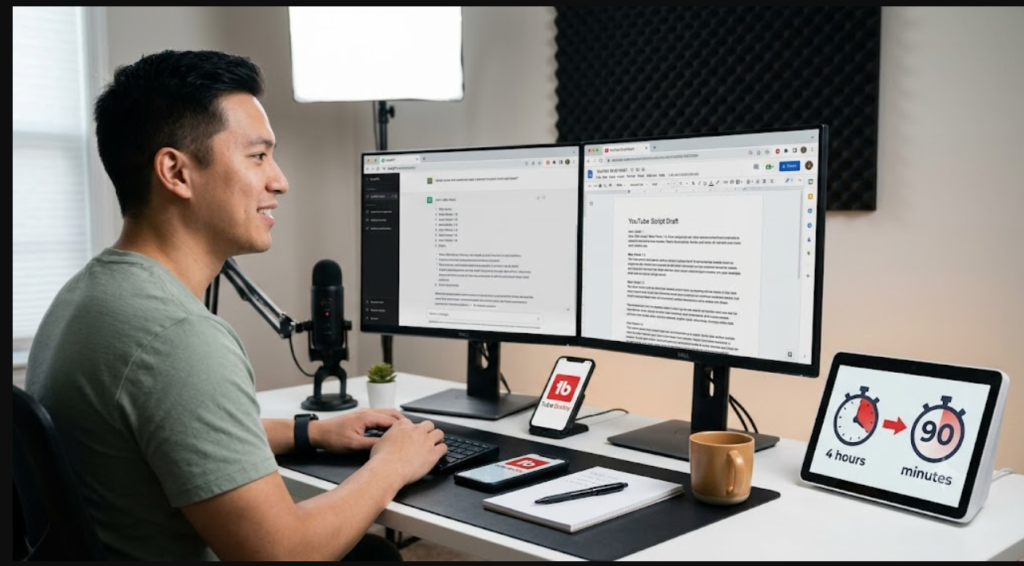
A creator posting three videos per week who spends four hours scripting each video is dedicating twelve hours weekly to scripts alone. With AI handling the first draft, that drops to roughly ninety minutes per video — about four and a half hours total. That is seven and a half hours freed up every week for recording, editing, growing your channel, or frankly just getting your life back.
Over a year, that is nearly 400 hours. That is a significant number.
Wrapping Up
AI script tools are not shortcuts to avoid putting in the work. They are shortcuts for the mechanical parts of writing — structure, research, first drafts — so you can spend your energy on the parts that actually need you: your perspective, your examples, your voice.
Start with ChatGPT if you want flexibility. Try Poppy AI if you want a YouTube-specific workflow that saves even more time. Use Jasper if your content is marketing-focused.
The most important thing is to try it on your next video and see how the process feels. Most creators who start AI scripting never go back to doing it the old way.
For a complete list of AI tools that can transform your YouTube channel, check out our full guide on the best AI tools for YouTube creators.