AI Text-to-Video Tool
Fliki AI: Turn a Script Into a Narrated Video in Minutes
Paste text, pick a voice, get a captioned video — no editing timeline required.
Try Fliki AI NowFree plan available · No credit card required
What Is Fliki AI?
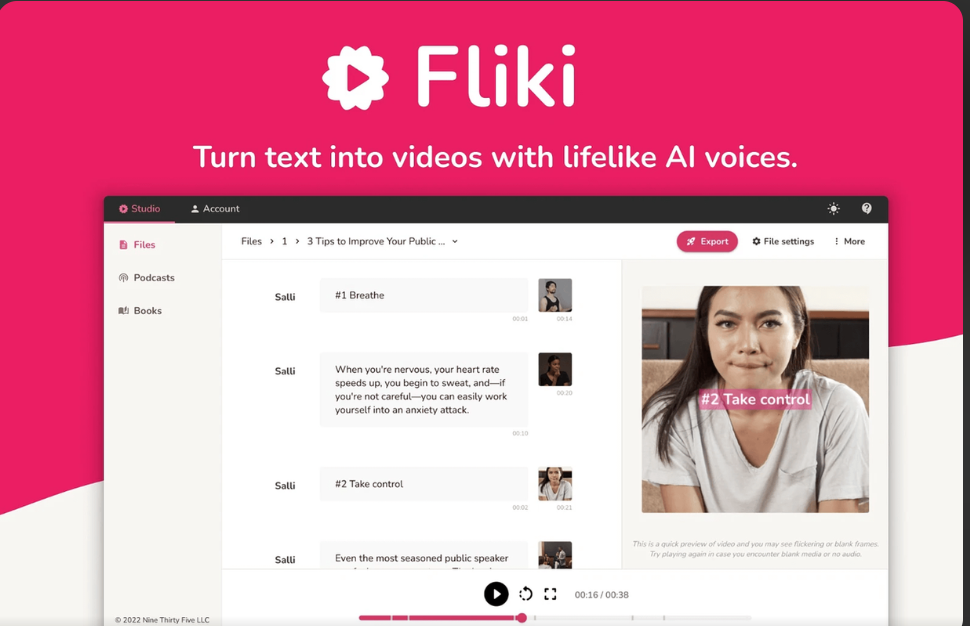
Fliki AI is a text-to-video and text-to-speech platform that converts written scripts, blog posts, or podcast audio into finished videos. It automatically selects stock visuals, generates a voiceover from a library of AI voices, syncs on-screen captions, and adds background music — all from a single text input, without a traditional drag-and-drop timeline editor.
Who Fliki AI Is Actually Built For
Fliki works best for people repurposing existing text into video — bloggers turning posts into YouTube explainers, marketers producing faceless voiceover content, and podcasters clipping episodes into short-form videos. If your priority is voice quality and speed of production over cinematic, hand-crafted visuals, it fits well. If you need precise scene control or AI-generated (not stock) footage, it’s worth comparing alternatives first.
Key Features
- Text-to-video generation — paste a script or blog URL and get a draft video with matched stock visuals.
- Large AI voice library — hundreds of natural-sounding voices across many languages and accents, with adjustable pacing.
- Auto-synced captions — captions generated and timed to the narration automatically.
- Blog and podcast conversion — turn an existing blog URL or podcast audio into a new video asset.
- Slide-based editor — edits happen at the slide/scene level rather than a frame-by-frame timeline, which is faster for beginners.
Fliki AI Pricing
Fliki offers a free plan limited to a few minutes of video per month at 720p with a watermark and no commercial license. Paid plans remove the watermark, unlock 1080p export, add more monthly minutes, and expand voice and language options; higher tiers add features like voice cloning and commercial usage rights. Because pricing tiers get adjusted periodically, check Fliki’s official pricing page for the current numbers before subscribing.
Pros and Cons
Strengths
- Fast text-to-video turnaround
- Large, natural-sounding voice library
- Simple, beginner-friendly interface
- Good value for voiceover-first content
Limitations
- Relies on stock footage, not AI-generated scenes
- Auto-picked visuals sometimes miss context
- Free plan is watermarked and non-commercial
Frequently Asked Questions
Is Fliki AI free to use?
Yes. Fliki has a free plan with a limited number of video minutes per month, 720p export, a watermark, and no commercial license. Paid plans remove these limits.
Does Fliki AI generate its own video scenes, or use stock footage?
Fliki primarily pulls from a stock footage library and can generate AI images when stock isn’t a good match. It does not generate full AI video scenes the way some newer video-generation tools do.
Can I use Fliki AI videos commercially?
Commercial usage rights require a paid plan. The free plan is intended for testing and personal, non-commercial use.
Is Fliki AI good for beginners?
Yes. Its slide-based editor and single-input workflow (paste text, get a video) are simpler than timeline-based editors, making it approachable for people with no video editing background.
Ready to turn your first script into a video?
Get Started with Fliki AI