
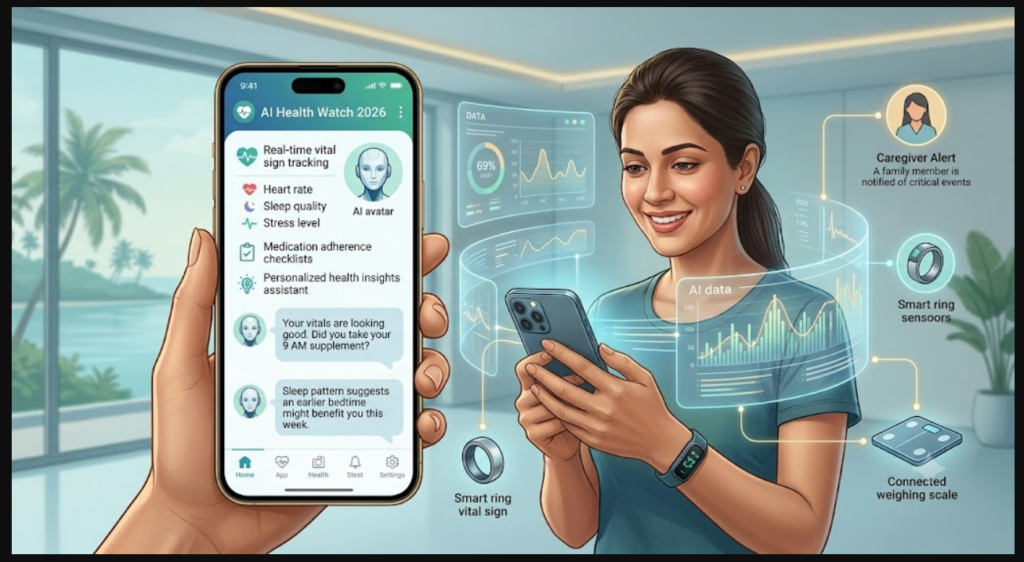
AI Health Monitoring Apps for Seniors: A Practical Guide for Indian Families
For many Indian households, caring for aging parents from a distance — while working, raising kids, or simply not living in the same city — is an everyday reality. AI-powered health monitoring apps have become one of the more practical answers to this, offering medication reminders, vital tracking, and alerts without needing someone physically present around the clock.
But not every app is built for an elderly, possibly not-so-tech-savvy user. Here’s what actually matters when choosing one.
What These Apps Actually Do
AI health monitoring apps for seniors typically combine three things: medication reminders with adherence tracking, basic vital sign logging (often via a connected wearable), and an alert system that notifies a family member or caregiver if something looks off.
CareClinic is often recommended for this use case specifically because of its simple interface and dependable reminder system — two things that matter more for elderly users than flashy features.
Pros of AI Senior Health Monitoring Apps
| Pros | Why It Matters |
|---|---|
| Reduces missed medication doses | AI-timed reminders adapt to routines, not just fixed alarms |
| Remote peace of mind for family | Caregivers get alerts without needing to call constantly |
| Simple interfaces | Designed for lower tech familiarity, larger text, fewer steps |
| Pattern detection over time | Flags gradual changes (sleep, activity) that are easy to miss day-to-day |
| Often integrates with wearables | Adds vitals tracking without extra manual effort from the senior |
Cons of AI Senior Health Monitoring Apps
| Cons | Why It Matters |
|---|---|
| Setup can still be a barrier | Initial configuration often needs a tech-comfortable family member |
| False sense of security | An app is not a substitute for regular in-person check-ins |
| Connectivity dependent | Needs consistent internet/data access to send alerts reliably |
| Alert fatigue | Overly sensitive notifications can lead caregivers to start ignoring them |
| Subscription costs add up | Advanced monitoring features are usually behind a paywall |
Dos and Don’ts
Do:
- Set up the app together with your parent at least once, in person if possible
- Choose apps with large text, voice input, and minimal steps per action
- Test the alert system before relying on it — trigger a mock reminder to confirm it works
- Combine app-based monitoring with regular phone or video check-ins
- Keep emergency contacts and nearby hospital info updated within the app
Don’t:
- Don’t assume an app replaces the need for periodic in-person visits or check-ups
- Don’t overload the senior with too many features at once — start with medication reminders only
- Don’t ignore recurring alerts about missed doses or unusual patterns
- Don’t set up monitoring without your parent’s informed consent and comfort
Part of a Bigger AI Health Ecosystem
Senior monitoring works best when paired with the right symptom-checking and medication-tracking tools. For a full comparison of AI health apps designed for Indian users — including senior care, diet, and symptom tracking — see this guide to the best AI tools for health in India.
FAQs
Do AI monitoring apps work without smartphones? Most require at least a basic smartphone; some pair with simple wearables that need less direct interaction from the senior.
Are these apps a substitute for a caregiver? No — they support and reduce the burden on caregivers but don’t replace human oversight, especially for medical decisions.
What’s the most important feature for elderly users? Simplicity. A clean interface and reliable reminders matter more than advanced analytics for most elderly users.
This article is for informational purposes only and does not constitute medical advice. Consult a healthcare professional for specific care decisions.