AI Headshots for LinkedIn in India: A Photo AI Guide
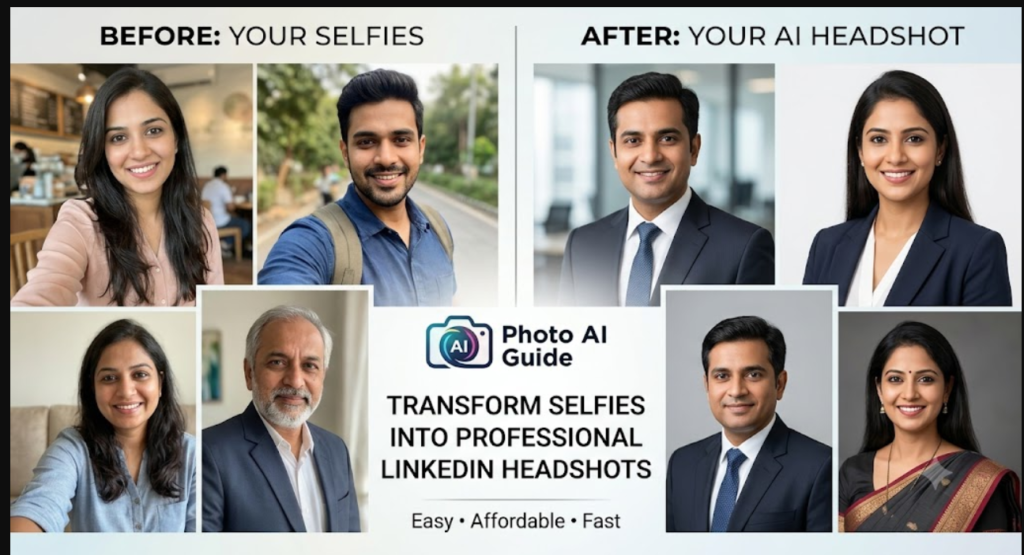
Studio photoshoots are costly and slow. AI headshots for LinkedIn offer a cheaper option, and Photo AI creates them from your own selfies. This suits job seekers, freelancers and professionals in India, and in the Gulf, where photos on CVs are common.
How Photo AI works
You upload selfies. The tool trains a model on your face, then generates new photos in styles such as formal, business casual or studio backdrops.
Step-by-step
- Collect 10–20 selfies. Use different angles, expressions and lighting.
- Upload them and let the model train.
- Choose a professional style, such as a plain background or an office setting.
- Generate several options and pick the most natural one.
- Download and crop to LinkedIn’s square profile format.
Tips for realistic results
- Use clear, well-lit selfies without filters or sunglasses.
- Avoid heavily edited outputs. Choose the version that still looks like you.
- Keep the background simple.
Is it appropriate for LinkedIn?
Most people use AI headshots successfully, but recruiters value authenticity. Your photo should look like you on a normal day. Some employers may expect a note if the image is AI-generated.
Pros and cons
Pros: fast, affordable, no studio visit.
Cons: results vary, and some images may look slightly artificial.
FAQ
How many photos do I need? Follow the tool’s current guidance, usually a set of varied selfies.
Can I use the photos on a CV? Yes, if the result looks like you.
Verdict: For a quick, low-cost profile upgrade, Photo AI is a practical option. Check for article for what app automation guide here.
One thought on “Photo AI Guide: 2026”