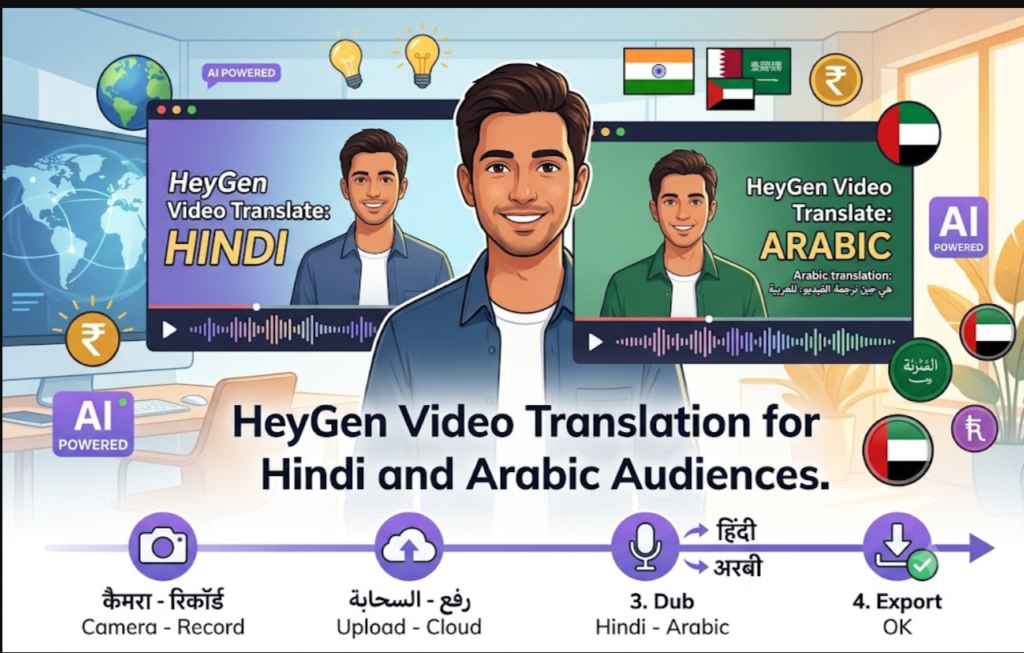
HeyGen Video Translation for Hindi and Arabic Audiences
HeyGen video translation lets you record once and publish in several languages. It dubs your speech and adjusts lip movements, which suits creators, coaches and businesses targeting India and the Gulf.
Why translate your videos?
Viewers engage more with content in their own language, and a translated version costs far less than reshooting.
Step-by-step
- Record a clear video. Use a front-facing shot, one speaker, and minimal background noise.
- Upload it to HeyGen and choose Video Translate.
- Pick the target language, such as Hindi or Arabic.
- Review the translated script. Fix product names and slang before generating.
- Check lip-sync and export.
- You can also check for this article for hindi voice overs.

Avoid common mistakes
- Arabic dialect: Gulf audiences may prefer a more natural tone than formal Arabic. Have a native speaker review it.
- Fast speech: Speak slower in the original so the dub stays accurate.
- Unchecked scripts: Always proofread. AI translation can misread idioms.
Use avatars for text-only videos
If you don’t want to be on camera, HeyGen’s AI avatars can present your script in multiple languages, which is useful for explainers and product demos.
Pros and cons
Pros: saves reshooting time, realistic lip-sync, many languages.
Cons: credits run out on longer videos, and outputs need manual review.
FAQ
Is HeyGen good for Hindi content? It works well for clear, single-speaker videos. Always review the script.
Can I dub one video into several languages? Yes, each language is generated separately.
Verdict: If you want multilingual reach without multiple shoots, HeyGen is worth testing on one short video first.
You can also check for articles related to other AI tools here.